
PixWish is only available on the Ultimate plan.
Accessing PixWish
To access and manage your wishlist:- Go to your Host Dashboard
- Click on “Manage Wishlist” in the navigation menu
Adding Wishlist Items
To add a new item to your wishlist:- Click on “Add Wishlist Item”
- A modal/pop-up will appear
Using PixAssist for Item Details
- Enter the URL of the item/product you want to add
- Click “Next”
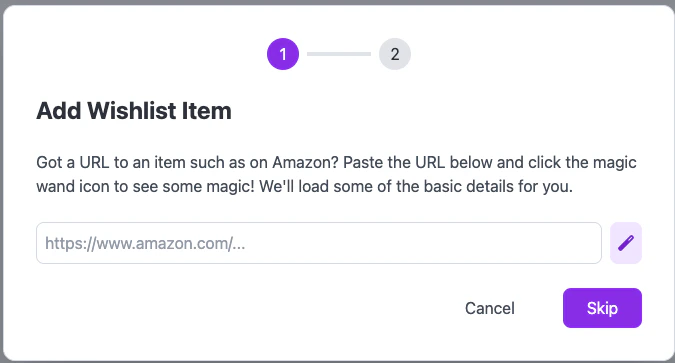
When entering a URL, it may take a minute or so for PixAssist to extract the details. Please be patient while our AI system works its magic!
Manual Entry
If you prefer to enter details manually or if PixAssist couldn’t extract the information:- Click “Skip” in the URL entry screen
- You’ll be taken directly to the manual entry form
Entering Item Details
Whether using PixAssist or manual entry, you’ll see a form to enter or edit item details: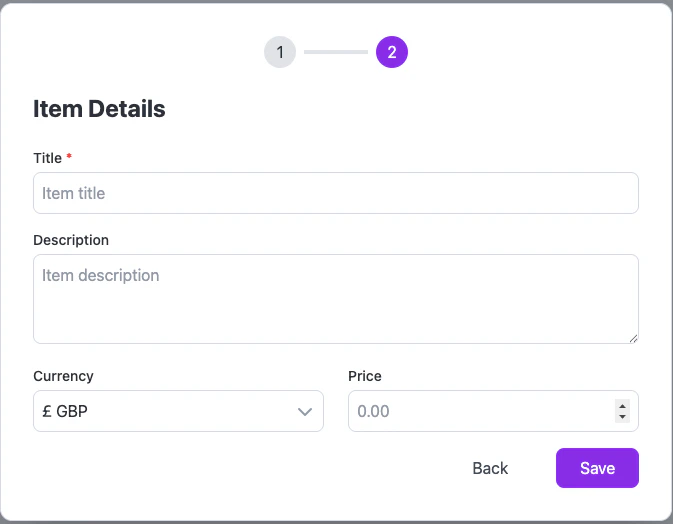
- Title
- Description
- Currency
- Price
Managing Your Wishlist
After adding items, you can:- Edit item details
- Remove items from the wishlist
Guest Interaction with PixWish
Once you’ve added items to your wishlist:- Guests will be able to view your wishlist
- They can mark items as purchased to avoid duplicate gifts
Best Practices for Using PixWish
- Diverse Price Range: Include gifts at various price points to accommodate all guests
- Regular Updates: Keep your wishlist up-to-date, removing items that are no longer needed
- Clear Descriptions: Provide clear, detailed descriptions to avoid confusion
- Use PixAssist: Leverage PixAssist to save time when adding items from online stores
Troubleshooting
If you encounter any issues with PixWish:- Ensure you’re on the Ultimate plan
- Check your internet connection if PixAssist is slow to respond
- Try using a different browser if you’re having trouble with the interface
- Contact PixVow support for any persistent issues